This article will show you how to add a subject to your Varsity Tutors profile.
Step 1: Sign into your account using your school provided single sign on (SSO). You can access the sign in experience at varsitytutors.com/login-for-schools.
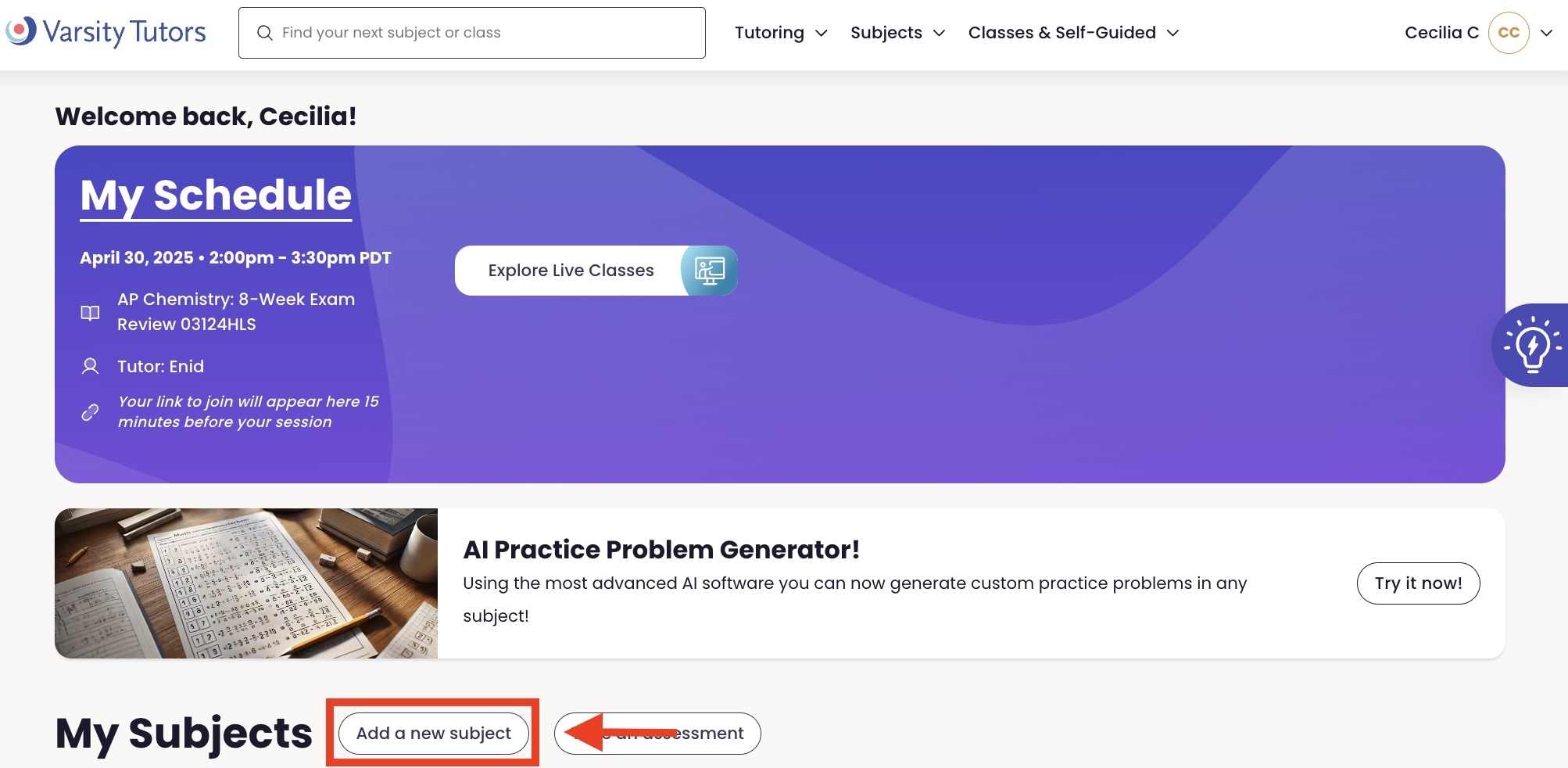
Step 2: Find the "Add a new subject" button down the page next to the "My Subjects" header and click it.
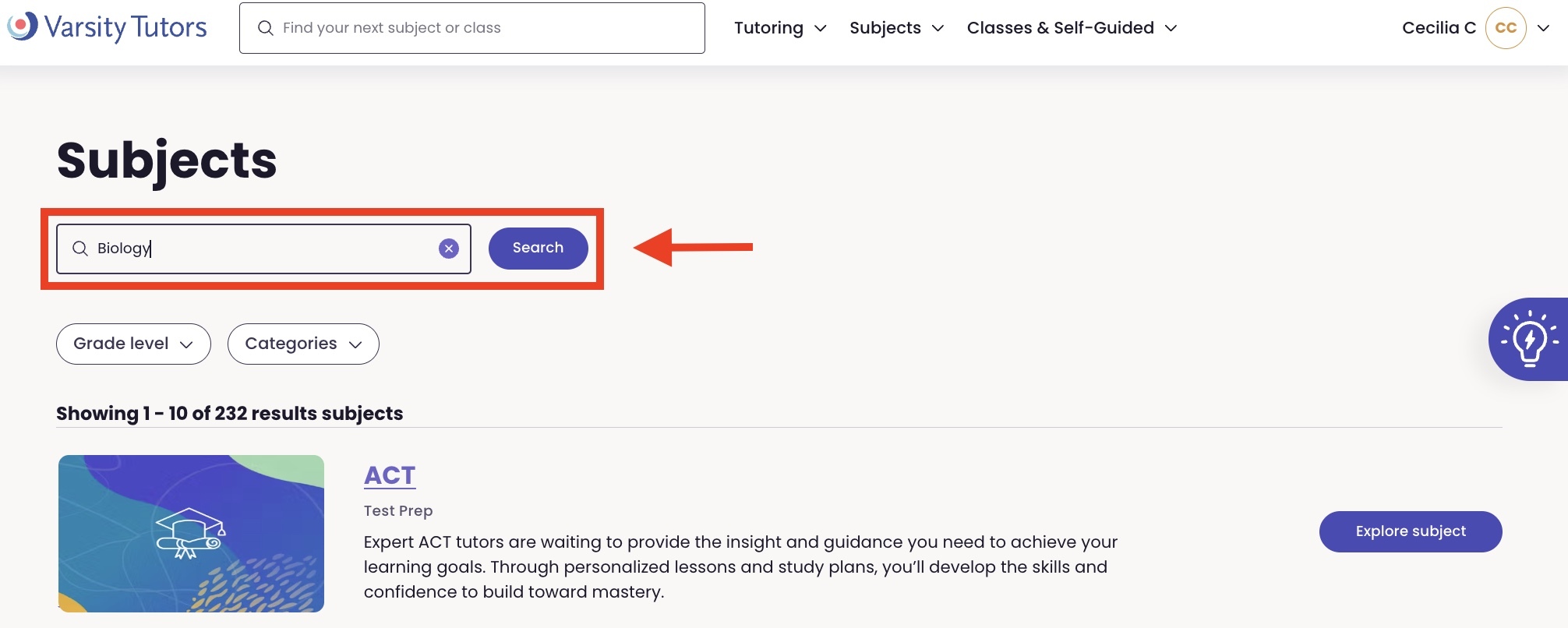
Step 3: In the search field, type in the name of the subject you want to add. Click the Search button.
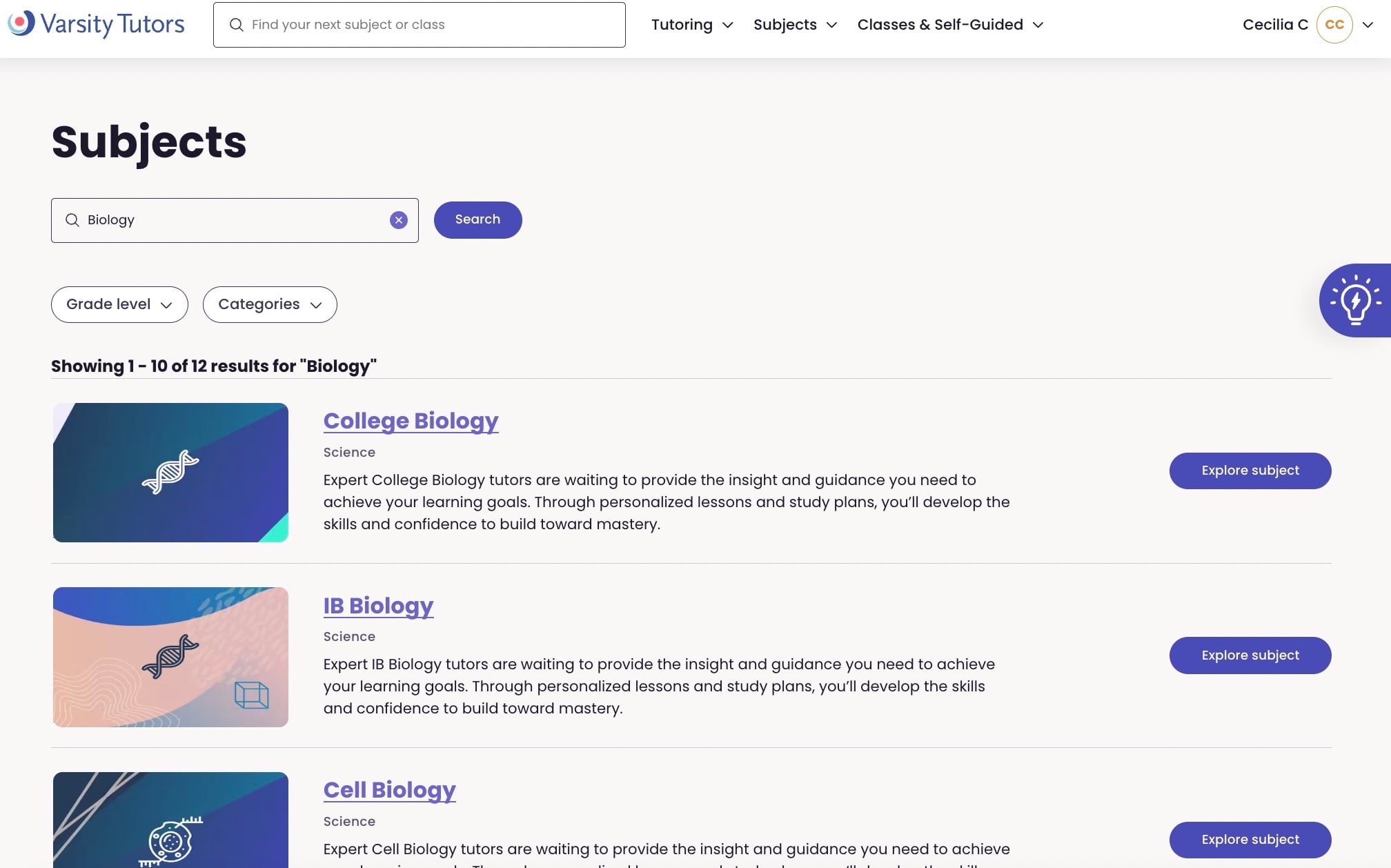
Step 4: On the results page, scroll to find the subject that best matches what you typed in the search field. Click on the name of that subject.
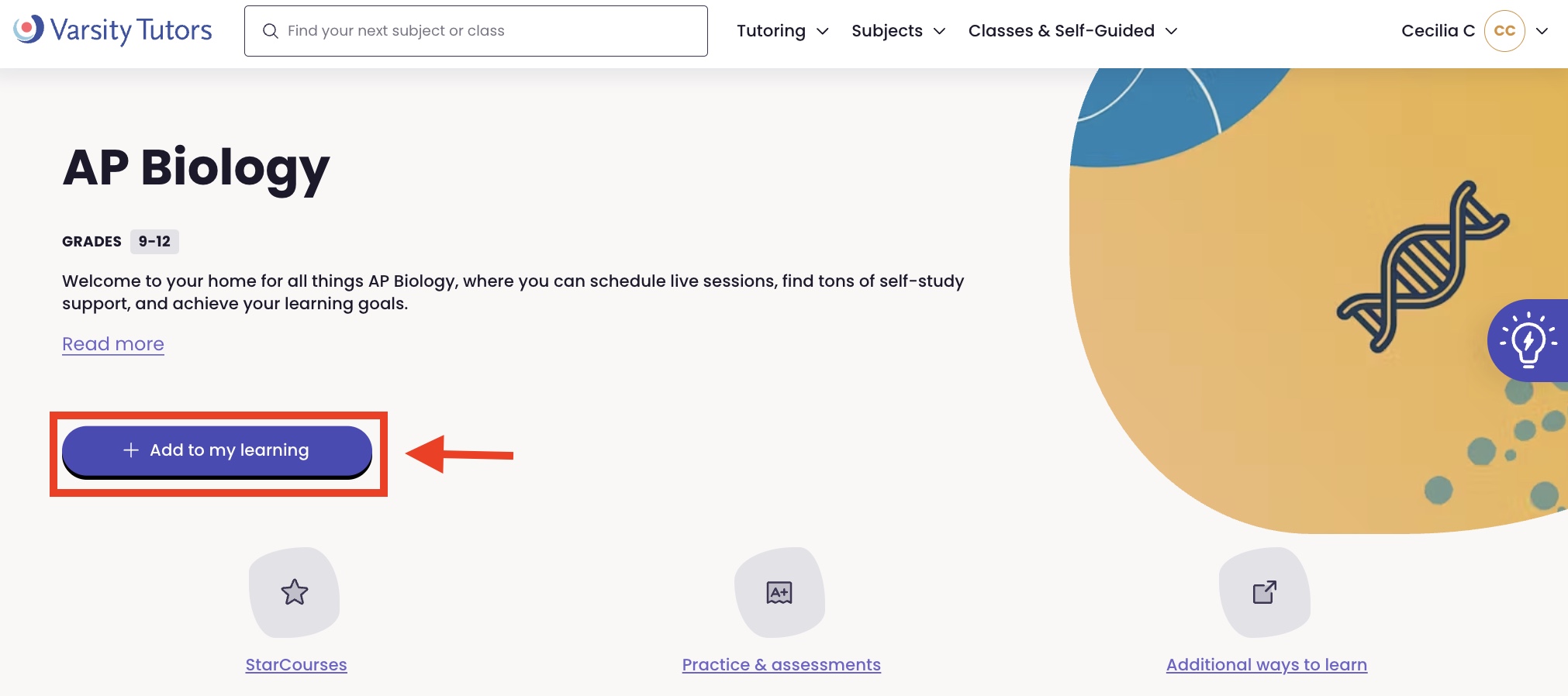
Step 5: On the subject page, click the button that reads "Add to my learning."